


Photoshop scripts can save you hours of repetitive work. Whether you're batch-processing images, organizing layers, or generating assets — there's a script for that.
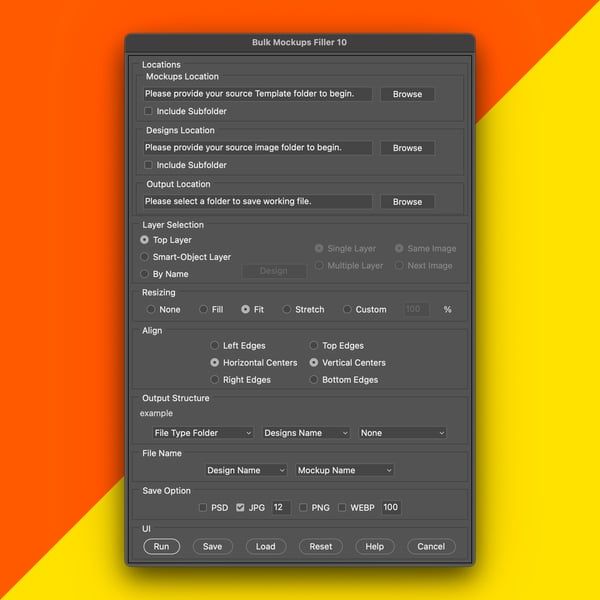
1. Bulk Mockups Filler
Our top-selling script automates filling multiple mockup templates with your designs. Instead of manually opening each PSD, finding the smart object, replacing, and saving — it handles everything in batch. Perfect for print-on-demand sellers who need 50+ mockup variations.
2. Layer Exporter Pro
Export every layer or group as a separate file (PNG, JPG, TIFF, or PSD) with one click. Game artists, UI designers, and animation studios use this to quickly prepare assets for handoff.
3. Batch Composition Composer
Generate all possible layer combinations from a single PSD file. This is the tool powering most of the NFT collections you see — it creates thousands of unique variations automatically.
4. Script Runner
A unified panel to manage and run scripts across Photoshop, Illustrator, and Premiere Pro. No more digging through menus — just browse your script collection and click Run.
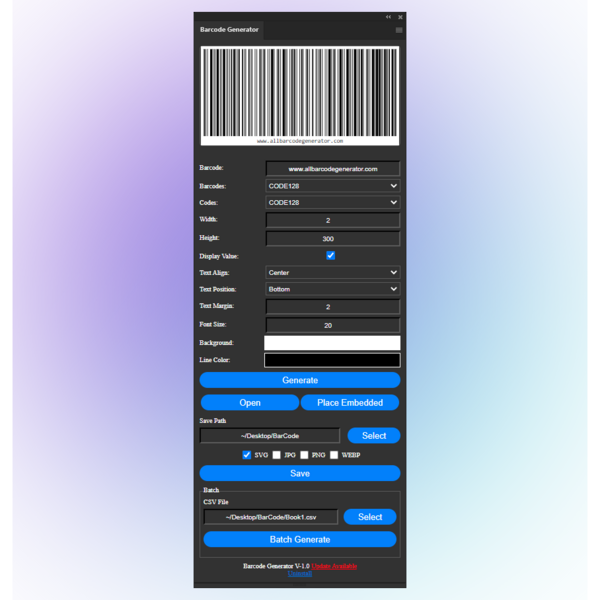
5. Barcode Generator
Generate Code 128, EAN-13, QR codes, and more directly in your Photoshop or Illustrator canvas. Essential for packaging designers and print studios.
Getting Started
All of these scripts are available on PluginCrates. Most install in under a minute — just download, extract, and load via Window → Extensions.
Want all of them? The All-Access Pass ($149) gives you lifetime access to everything, including future releases.